1. Connect your board
We link your authorized MLS access. Today that includes MLS Now (Northeast Ohio).

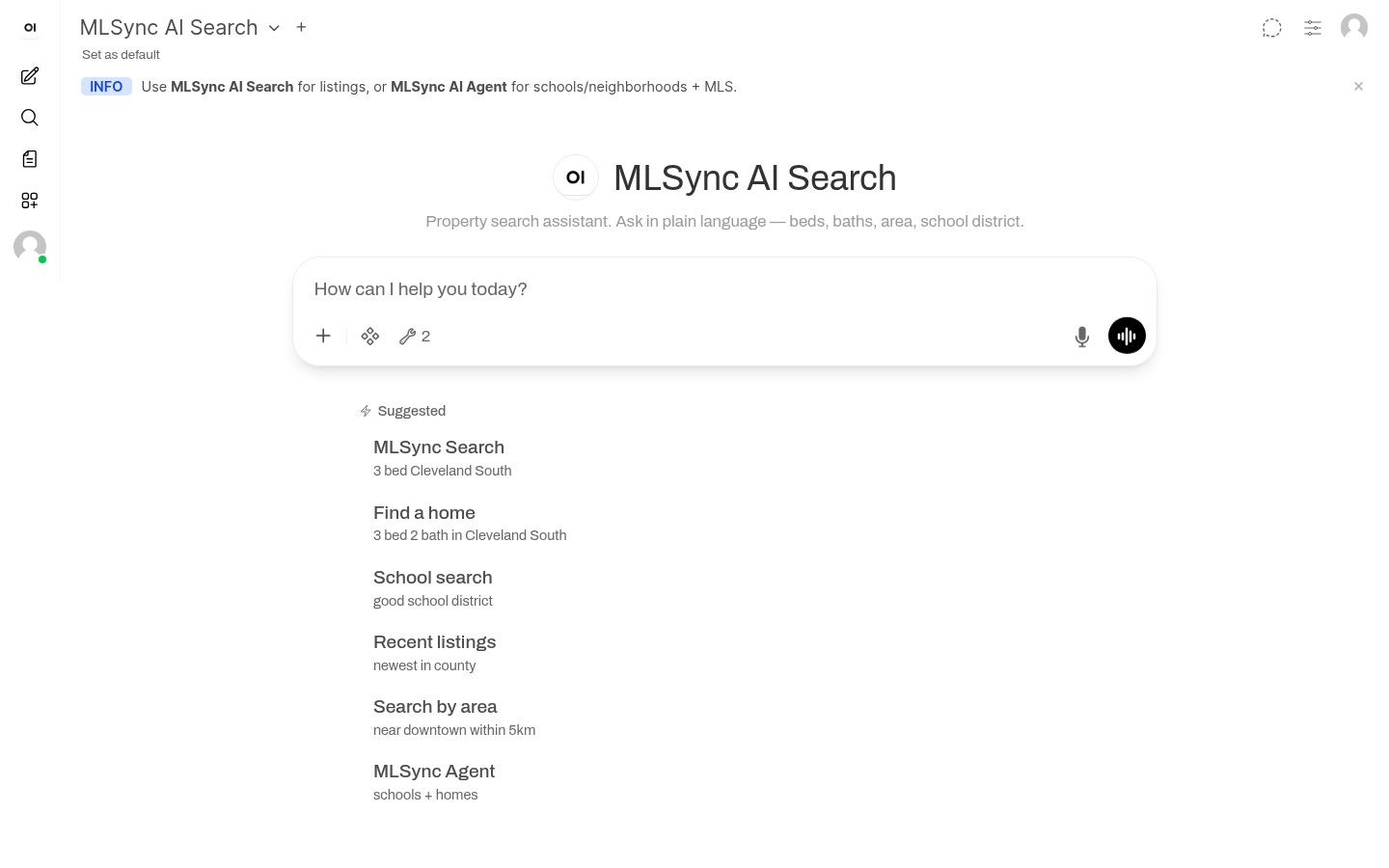
Search listings in plain English. Research comps, schools, and neighborhoods with AI Agent — all in a private workspace, never a public AI chat, grounded in your live MLS.
From $79/mo founding · $99/mo standard Beta pricing
AI Search finds listings. AI Agent researches them.
Three simple steps — no tech team required.
We link your authorized MLS access. Today that includes MLS Now (Northeast Ohio).
“3 bed under $350k in Cleveland South” — type it like you’d text a colleague.
Results come from your live inventory, with MLS numbers and addresses you can trust.
Keep MLS data out of public AI chats. Search through your authorized MLS access and keep research in one private workspace.
MLSync doesn’t require pasting MLS data into public AI chat products.
Listing searches run through your approved MLS connection — not scraping or public feeds.
Need a stronger no-learning guarantee? Contact us so we can preselect models for your MLS or brokerage.
Your history stays in your workspace. Export or delete it anytime.
Quick searches for a busy day. Deeper research when a client needs the full picture. Same MLS tools either way.
Your MLS display and attribution requirements stay in force. We don’t replace them.
Questions about data handling or MLS board requirements? We’re happy to walk through how MLSync fits your market.
Ask like you’d text a colleague and get live inventory with MLS numbers and addresses.
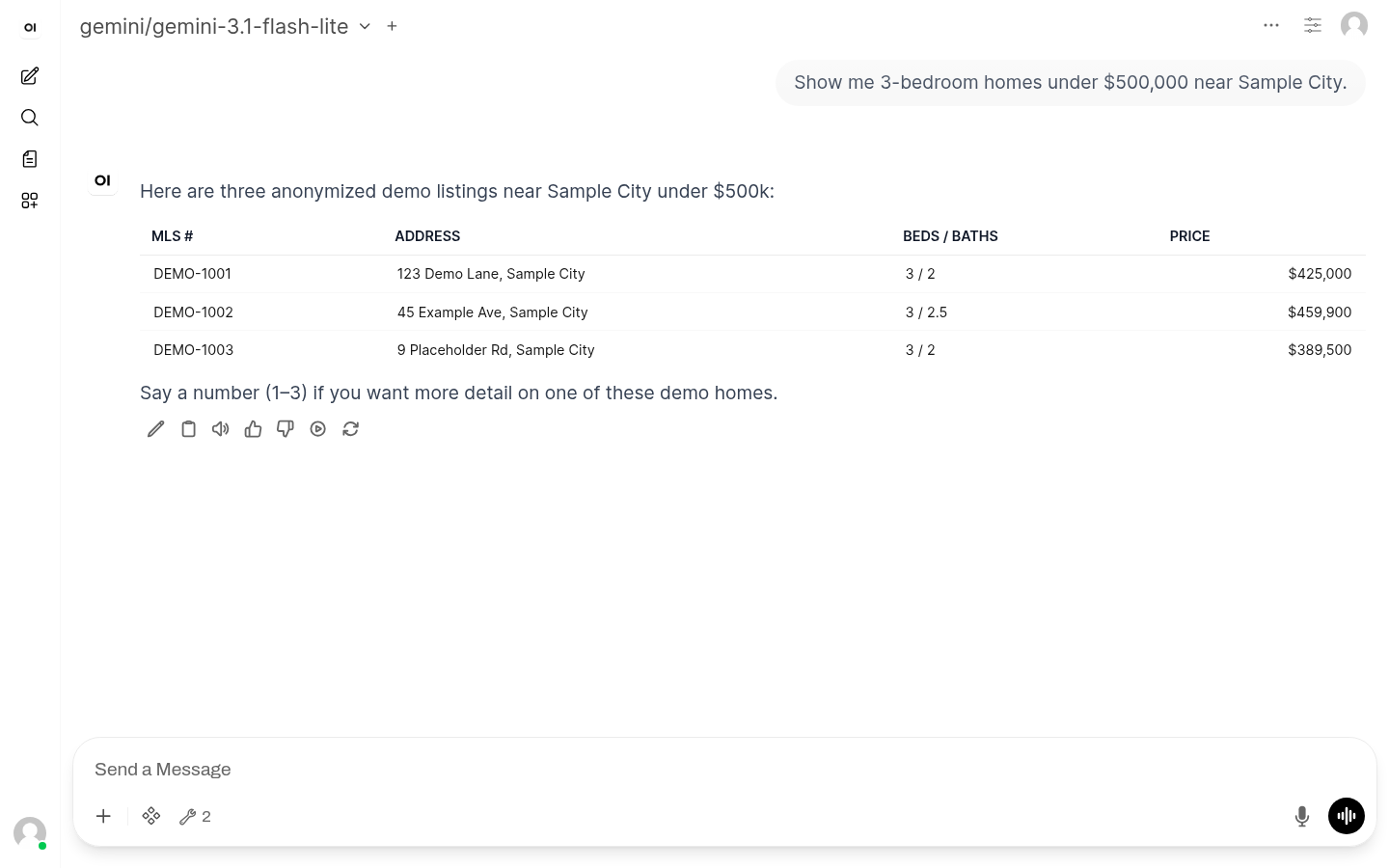
Example: “3 bed 2 bath under $350k in Cleveland South”
| You say | What happens |
|---|---|
| 3 bed 2 bath Cleveland South | City / area + beds / baths |
| Under $350k | Price cap |
| Zip 44141 | Postal code |
| Within 5 km of downtown | Map radius |
| Cheapest / newest | Sort |
| MLS 5211321 | Direct lookup |
Need schools, neighborhoods, or deeper research? Use AI Agent.
Go beyond search with grounded research on comps, schools, neighborhoods, and showing preparation.
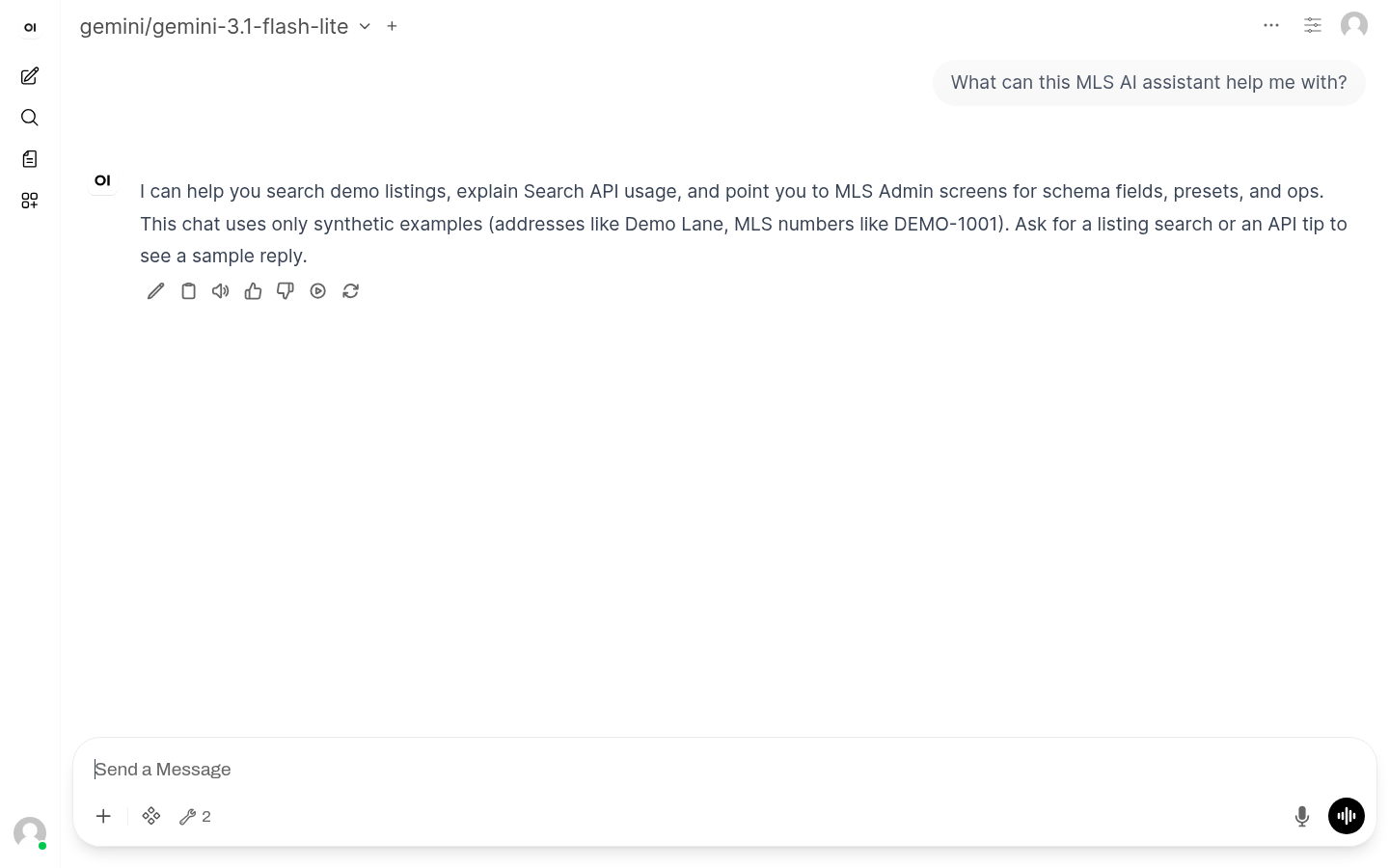
On Team and Brokerage plans, ask for something bigger — like “find comps and summarize the area” — and it runs the steps in one go. Same live MLS grounding as Search and Agent.
Contact us to get access for your board.
Playbooks you already know — powered by live MLS data.
Gather criteria → Search → shortlist with MLS # and address.
Pull detail by MLS # — photos, talking points, reminders.
Comparable table from live inventory. Not an appraisal.
Active inventory and recent movement summaries for clients.
Editable messages you review before you hit send.
Live facts from your MLS tools only. Follow your board’s display and attribution rules.
Skip the copy-paste. Connect ChatGPT, Claude, or your brokerage’s AI tools to your live MLS — and wire in CRM, paperwork, and calendar so everyday handoffs happen in one place.
Under the hood, that connection is called MCP (Model Context Protocol) — a safe plug that lets AI apps reach your MLS and other tools. We set it up for you; you don’t need to build anything.
Prefer a private workspace? Use MLSync AI Chat to keep MLS research out of public consumer chats. If your board requires strict no-training terms, contact us so we can select suitable AI models. When connecting another app, confirm its data-use terms meet your MLS board’s requirements.
Research in the same window you write offers, notes, and client replies.
Search and listing detail hit your board. Answers cite MLS # and address.
One sync. Whether you open our chat or ChatGPT with the connection, listings match.
Connect when you prefer OpenAI’s chat — same live MLS search underneath.
Add the MLS connection to Claude — ask for comps and inventory where you already write.
Point any compatible office AI or custom agent at the same live search tools.
Ready-made chat for Search (and Agent on higher plans). No setup required.
New listing fits a client’s criteria → a ready-to-send draft you review.
Wrap up a showing → ask the AI to log notes straight into your CRM.
Pull listing details into a DocuSign or transaction template — no retyping.
Confirm a showing → it lands on Google Calendar or Outlook automatically.
Custom connections on Team and Brokerage — we build and host them for your stack.
| Capability | What you can do |
|---|---|
| Structured search | Beds, baths, city, zip, price, area, map radius, sort |
| Listing detail | Active / pending detail by MLS # from your live inventory |
| Helpful guides | Optional workflows & terminology — not listing facts |
Included on Solo Agent, Team, and Brokerage. We send your connection details after signup.
| MLS connection (realtor pack) | Full platform tools | |
|---|---|---|
| Live active / pending search | Yes | Yes |
| Listing detail by MLS # | Yes | Yes |
| Closed / off-market history | — | Yes |
| Identity & deeper record tools | — | Yes |
| Advanced platform APIs | — | Yes |
The realtor pack covers everyday search. Full platform tools stay available for teams that need closed history and deeper data.
Need CRM, DocuSign, calendars, or other tools inside your AI? We build and host custom connections for your stack.
From $79/mo founding · $99/mo standard — live MLS AI, priced for your board.
Individual realtor, one MLS board
$99/mo
Founding: $79/mo + setup fee
Small team sharing a board
$199/mo
Office-wide AI access
$399/mo
Every plan includes a monthly pool of AI credits — fuel for chat and Agent. Credits go down as the AI reads MLS data and writes answers back.
Typical usage on Fast mode — your actual numbers will vary:
| What you do | Typical credits |
|---|---|
| Quick MLS # lookup | 5–15 |
| Listing search (few results) | 10–25 |
| Full results table (~30 listings) | 35–50 |
| Agent research session | 100–400 |
Same action on a smarter model uses more credits. Use Fast for everyday searches; switch up when you need deeper analysis.
| ChatGPT | Agent99 | MLSync AI | |
|---|---|---|---|
| Live MLS tools | No | ChatGPT layer | Your live MLS + connections |
| Own chat history | Consumer account | Weak | Your workspace |
| Any AI app | — | ChatGPT mainly | ChatGPT, Claude, custom |
| Usage metering | Opaque | Seat tiers | Clear credits |
| Closed / record path | No | Limited | Platform tools |
Beta pricing — subject to change. MLS board fee is separate and paid directly to your board. Requires authorized MLS access.
Yes. Your chat history stays in your MLSync AI workspace — not a shared consumer AI account. You can export or delete it anytime.
MLS data is subject to board rules and data-license terms that vary by market. MLSync searches properties through your authorized MLS access and keeps your work in a private workspace instead of a public consumer chat.
MLSync keeps your MLS research out of public consumer chats by default. If your MLS or brokerage needs a stronger no-training guarantee, contact us so we can preselect AI models that meet those requirements.
Listing answers come from your live MLS tools — grounded in your authorized board inventory.
Looking for homes by beds, baths, price, or MLS number? Use Search. Need schools, neighborhoods, comps, or multi-step research? Use Agent.
MLSync AI runs on the same live MLS sync and search technology as MLSync.io — packaged for everyday realtor work.
You or your broker pay the board directly. Our price never includes board licensing.
Yes — this is beta pricing. Existing customers get advance notice before any change.
Yes. Every realtor plan includes a connection that lets ChatGPT, Claude, or your brokerage’s AI tools search your live MLS. Before connecting one, ensure its AI training and data-use terms meet your MLS board’s rules. We send your setup details after signup. See how it works →
MCP (Model Context Protocol) is a safe plug that lets AI apps reach into your live MLS and other tools — so you don’t copy-paste between windows. We set it up for you.
Agent answers research questions step by step. On Team and Brokerage, you can give it a goal — like “find comps and summarize the area” — and it runs the steps in one go.
Yes — custom connections on Team and Brokerage. We wire tools like Follow Up Boss, DocuSign, Google Calendar, and more into your AI. Contact us.
Examples: a new listing that matches a client drafts a ready-to-send email; after a showing, notes go into your CRM; listing details fill a DocuSign template; a booked showing lands on your calendar. See automation examples →
No. Follow your board’s display and attribution rules. MLSync AI does not replace those requirements.
Tell us about your board and how you work — we’ll get back to you.
We’ll only use this to reach out about MLSync AI — no spam, no sharing your info.
Please enable javascript to verify the message using Botpoison.